
Calculate recommended bitrate for Twitch and YouTube streaming based on resolution, FPS, and platform requirements.
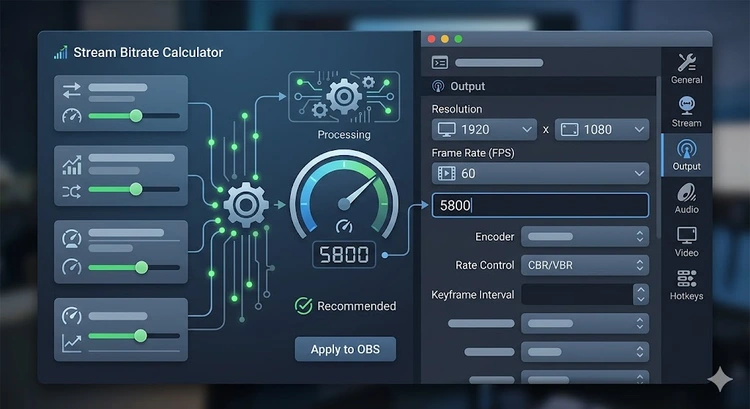
Calculate recommended bitrate for Twitch and YouTube streaming based on resolution, FPS, and platform requirements. This tool runs entirely in your browser with no data sent to any server. Understanding these concepts is essential for network administrators and home users looking to optimize their setups.
Whether you're managing a small home network through 192.168.1.1 or a larger deployment, this reference helps you make informed decisions. Check your current network at What Is My IP and test performance with our Speed Test.
Enter your parameters in the form above and click the action button to see results. All calculations run locally in your browser — nothing is sent to a server. You can use the results for network planning, documentation, and troubleshooting.
For related calculations, try our Subnet Calculator and Bandwidth Calculator. Combine multiple tools for comprehensive network analysis.
Pro Tip: Bookmark this tool for quick access during network troubleshooting sessions. Combine it with our Network Troubleshooting Wizard for a systematic approach to diagnosing issues. Keep your device inventory and network diagram updated for faster problem resolution.
Yes, this tool is completely free and runs in your browser. No account or download required.
No, all calculations run locally in your browser. No data is transmitted to any external server.
Absolutely. This tool works for home networks, small offices, and enterprise environments. Access your router at 192.168.1.1 to make configuration changes based on the results.
Results are based on standard networking calculations and industry specifications. Real-world performance may vary based on your specific equipment and environment.
Combine with our Subnet Calculator, Bandwidth Calculator, and Network Troubleshooting Wizard for comprehensive network management.

About Tommy N.
Tommy is the founder of RouterHax and a network engineer with 10+ years of experience in home and enterprise networking. He specializes in router configuration, WiFi optimization, and network security. When not writing guides, he's testing the latest mesh WiFi systems and helping readers troubleshoot their home networks.
 |
 |
 |
 |
Search
Popular Tools
Browse Guides
Promotion for FREE Gifts. Moreover, Free Items here. Disable Ad Blocker to get them all.
Once done, hit any button as below
|
|
|
|