
Getting your router's WiFi configured correctly makes the difference between a fast, reliable connection and one that drops out, crawls at peak hours, or leaves your devices scrambling for signal. This category covers all 59 guides you need to set up and optimize your wireless network—from first-time router configuration and SSID naming to advanced topics like WPA3 encryption, mesh networking, and guest network isolation. Whether you're setting up a brand-new router or troubleshooting a network that's never quite worked right, these guides walk you through every step.
A few small changes go a long way. First, log in to your router's admin panel and confirm you're running WPA2 at minimum—WPA3 is better if your hardware supports it. Next, check your channel selection; channels 1, 6, and 11 on the 2.4 GHz band are the only non-overlapping options, so pick whichever is least congested in your area. On the 5 GHz band, channel congestion is rarely an issue, making it the better choice for streaming and gaming nearby. Finally, isolate IoT devices and visitors on a dedicated guest network—it improves both security and overall network performance by reducing broadcast traffic on your primary band.
Use the guides below to find the exact setup task you need—each one is written for a specific router model or scenario, so you can get straight to the steps that apply to your situation.

Learn how to change your WiFi password on any router in minutes with our simple 2026 step-by-step guide for all major brands. [read more]

Convert a spare router into a WiFi access point to extend your network coverage. [read more]

How to set up your AT&T Fiber gateway WiFi network with optimal settings. [read more]
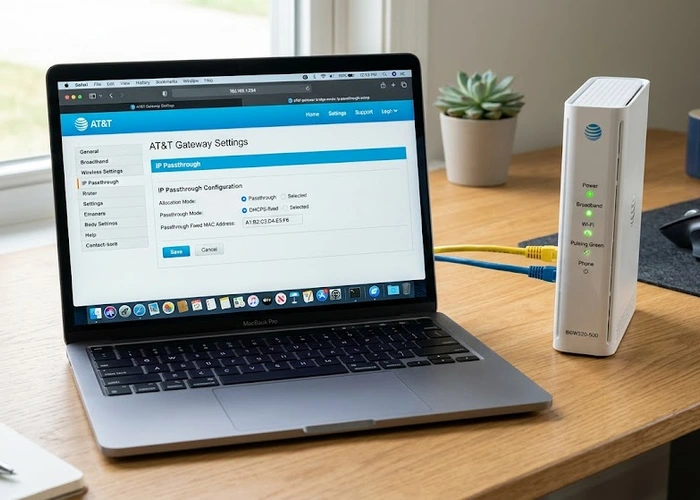
How to enable IP passthrough on your AT&T gateway to use your own router. [read more]

Configure parental controls on your AT&T router using Smart Home Manager. [read more]

Step-by-step guide to port forwarding on your AT&T router for gaming and servers. [read more]

Change your AT&T router WiFi password using the Smart Home Manager app or web interface. [read more]

Learn the best router placement for optimal WiFi coverage. Avoid dead zones with proper positioning, elevation, and interference avoidance strategies. [read more]

Configure bridge mode to use your ISP modem/router combo with a separate router. [read more]

Replace your CenturyLink rental router with your own for better performance and savings. [read more]
Search
Popular Tools
Browse Guides
Promotion for FREE Gifts. Moreover, Free Items here. Disable Ad Blocker to get them all.
Once done, hit any button as below
 |
 |
 |
 |