by Tommy N. Updated Apr 23, 2026
Your smart thermostat, security camera, and voice assistant may be convenient — but every IoT device you connect to your home network is a potential entry point for attackers. IoT device security risks are among the fastest-growing threats facing home users today, and understanding them is the first step toward locking down your network. Our IoT Device Security Checker scores your setup against an interactive checklist.

In this guide, you'll learn exactly why IoT devices are so vulnerable, how attackers exploit them, and the concrete steps you can take to harden your network right now. Whether you have two smart devices or twenty, the same fundamentals apply — and a few quick changes to your Wi-Fi security settings and guest network configuration can dramatically reduce your exposure.

The Internet of Things refers to any device that connects to a network but isn't a traditional computer, phone, or tablet. This includes smart TVs, robot vacuums, baby monitors, smart locks, light bulbs, doorbells, and dozens of other gadgets that have quietly invaded modern homes. What these devices share is not just connectivity — they also share a common weakness: they were almost universally designed with convenience as the top priority and security as an afterthought.
Most IoT manufacturers ship devices with default usernames and passwords that are identical across every unit they produce. Databases of these credentials are freely available online, meaning an attacker doesn't need any special skill to log into your smart camera — they just need to know the brand. Making matters worse, many devices run outdated versions of Linux or other embedded operating systems that contain unpatched vulnerabilities the manufacturer has no intention of fixing, either because the device is considered end-of-life or because the company simply lacks the resources.
The threat isn't theoretical. The Mirai botnet — which launched some of the largest distributed denial-of-service attacks ever recorded — was built almost entirely from compromised IoT devices like DVRs and IP cameras. Attackers scanned the internet for devices using default credentials, logged in, and enrolled them in a massive botnet without the owners ever noticing. Your devices may look fine from the living room while quietly attacking a bank server at 3 a.m.
Beyond botnets, compromised IoT devices give attackers a foothold inside your local network. Once an attacker controls your smart TV, they can pivot to scan for your laptop, NAS drive, or banking session. This lateral movement is the real danger: the IoT device itself may hold nothing valuable, but it acts as a bridge into the rest of your digital life. Network segmentation — keeping IoT devices isolated — is the single most effective countermeasure against this attack chain.
Follow these steps in order to systematically reduce the attack surface created by every connected device on your network.
Not all IoT devices carry the same level of risk. The table below compares common device categories by their typical threat profile so you can prioritize your hardening efforts.
| Device Type | Default Creds Risk | Firmware Update Frequency | Network Exposure |
|---|---|---|---|
| IP Cameras & Doorbells | Very High | Infrequent | High (often internet-facing) |
| Smart TVs | Medium | Moderate | High (outbound to cloud) |
| Smart Thermostats | Low–Medium | Regular (OTA) | Medium |
| Smart Plugs & Bulbs | Medium | Rare | Low (LAN only) |
| NAS & Media Servers | High | Regular | Very High (often port-forwarded) |
Most modern routers include a "client isolation" or "AP isolation" setting for guest networks that prevents devices on that network from communicating with each other — not just from reaching the main LAN. Enable this so that even if two of your IoT devices are compromised, one can't use the other as a stepping stone. Look for this option in your router's wireless or guest network settings.
Even users who take the initial steps above often leave gaps that attackers can exploit. The most common mistake is treating IoT security as a one-time task rather than an ongoing habit. Devices that were secure when you set them up may develop new vulnerabilities as researchers discover flaws in the underlying software, and a device manufacturer that was issuing regular patches may go out of business or simply abandon the product line.
Another frequent error is using the same Wi-Fi password for your IoT guest network as for your main network. If the password leaks — because you shared it with a guest, or because it appeared in a data breach — you want to be able to rotate the IoT network password independently without disrupting your primary devices. Keep the two networks entirely separate, with different passwords and different SSIDs. You can change your Wi-Fi password on most routers in under two minutes.
DNS-level filtering is an underused but highly effective layer of defense. By pointing your router's DNS to a filtering service, you can block known malware command-and-control domains before any compromised IoT device can phone home. This doesn't replace the other steps, but it adds meaningful protection with almost zero effort once configured. Our DNS change guide covers the process for common router models.
Pro Tip: Run a monthly port scan using the port checker tool against your public IP address to see which ports are visible from the internet. Any unexpected open port is a red flag that a device or application has punched a hole through your firewall without your knowledge.
IoT devices typically run stripped-down operating systems with no user-accessible security interface, making it difficult or impossible to install security software. They are also manufactured in high volumes with identical default configurations and are rarely updated after purchase, creating a large pool of persistently vulnerable targets. Unlike your laptop, most IoT devices have no mechanism to alert you when something is wrong.
Yes — isolating IoT devices on a dedicated guest network is one of the highest-impact steps you can take. It prevents a compromised device from having direct access to your computers, phones, and other sensitive endpoints on your main LAN. Enable client isolation on the guest network as well so devices can't communicate laterally with each other. See our guest network setup guide for step-by-step instructions.
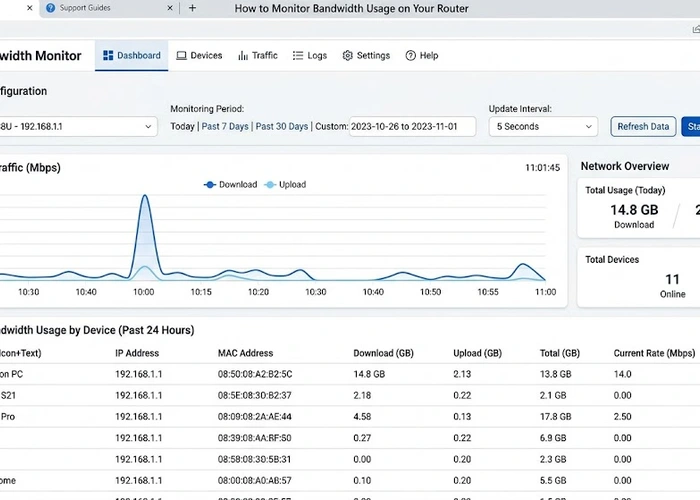
Signs of compromise include unusual outbound traffic (visible in your router's traffic logs), devices behaving erratically, unexpected reboots, and sluggish performance on other devices that share the same network segment. You can also check who is on your Wi-Fi and review your router's connection logs for traffic to unknown IP addresses or at unusual hours.
In most home environments, the best approach is network segmentation via a guest VLAN rather than individual device firewall rules, which can be complex to manage. However, if you have a device that requires port forwarding — like a NAS or security DVR — you should restrict access using your router's firewall to allow only specific source IP addresses rather than opening the port to the entire internet. Our port forwarding guide covers safe configuration practices.
Check for firmware updates at least once a month for high-risk devices like cameras, routers, and NAS units. For lower-risk devices like smart bulbs, quarterly checks are typically sufficient. Enable automatic updates wherever available, but also verify that auto-updates are actually occurring — some devices silently fail to update without notifying you. Always update manually after any publicized vulnerability disclosure affecting your device brand or model.
WPA3 significantly improves the security of the wireless connection itself, protecting data in transit and making brute-force password attacks far harder. However, it does not protect against vulnerabilities in the device firmware, weak admin passwords on the device's own interface, or malicious outbound connections initiated by a compromised device. Use WPA3 encryption as one layer within a broader security strategy, not as a standalone solution.
For authoritative networking standards and specifications, refer to the Internet Assigned Numbers Authority (IANA) or IETF RFC documents.
 |
 |
 |
 |

About Tommy N.
Tommy is the founder of RouterHax and a network engineer with over ten years of experience in home and enterprise networking. He has configured and troubleshot networks ranging from simple home setups to multi-site enterprise deployments, with deep hands-on experience in router configuration, WiFi optimization, and network security. At RouterHax, he oversees editorial direction and covers home networking guides, mesh WiFi system reviews, and practical troubleshooting resources for everyday users.
Search
Popular Tools
Browse Guides
Promotion for FREE Gifts. Moreover, Free Items here. Disable Ad Blocker to get them all.
Once done, hit any button as below
|
|
|
|