
Estimate your monthly internet data consumption by entering how much time you spend on common online activities. Whether you have a capped ISP plan, a mobile hotspot, or a satellite internet connection, knowing your data usage helps you avoid overage fees and choose the right plan.
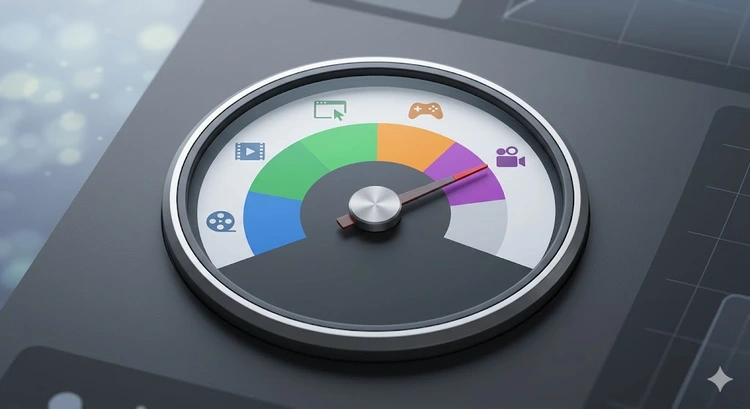
Every online activity consumes data measured in megabytes (MB) or gigabytes (GB). When you stream a video, your device downloads a continuous flow of data packets. When you browse the web, each page load transfers HTML, CSS, JavaScript, and images. Even idle background processes like cloud sync and app updates consume data throughout the day.
Data usage is calculated by multiplying the data rate of each activity by the time spent. For example, streaming HD video on Netflix uses approximately 3 GB per hour. If you watch 2 hours per day for 30 days, that is 180 GB per month from streaming alone.
The calculator above uses industry-average data rates published by major streaming providers and FCC broadband guidelines to estimate your total monthly consumption across all activities.
| Activity | Data per Hour | 10 hrs/month | Notes |
|---|---|---|---|
| Web Browsing | 60 MB | 0.6 GB | Varies with media-heavy sites |
| SD Video (480p) | 700 MB | 7 GB | Netflix, YouTube standard |
| HD Video (1080p) | 3 GB | 30 GB | Most common streaming quality |
| 4K Video (2160p) | 7 GB | 70 GB | Requires 25+ Mbps connection |
| Music Streaming | 75 MB | 0.75 GB | Spotify/Apple Music high quality |
| Online Gaming | 80 MB | 0.8 GB | Game downloads are separate |
| Video Calls (HD) | 1.5 GB | 15 GB | Zoom, Teams, Google Meet |
| Social Media | 300 MB | 3 GB | Scrolling with auto-play video |
| 20 MB | 0.2 GB | Without large attachments |
Choosing the right internet plan depends on your household size and usage habits. Here is a general guide for monthly data requirements:
| Usage Level | Monthly Data | Typical Activities | Household Size |
|---|---|---|---|
| Light | 50-100 GB | Email, browsing, social media | 1 person |
| Moderate | 100-500 GB | Above + HD streaming, video calls | 1-2 people |
| Heavy | 500 GB - 1 TB | Above + 4K streaming, gaming | 2-4 people |
| Very Heavy | 1-2 TB | Multiple 4K streams, game downloads, cloud backup | 4+ people |
| Unlimited | 2+ TB | Home servers, content creation, torrenting | Power users |
Pro Tip: If you use a mobile hotspot as your primary internet, set a monthly data budget alert on your phone at 80% of your cap. This gives you a buffer to adjust usage before incurring overage charges. Most carriers charge $10-15 per extra GB after you hit your limit.
| ISP Type | Typical Cap | Overage Fee | Examples |
|---|---|---|---|
| Cable (Xfinity, Cox) | 1.2 TB | $10/50 GB | Xfinity enforces in most markets |
| Fiber (AT&T, Verizon) | Unlimited | N/A | Most fiber plans are truly unlimited |
| DSL | Varies | $10/50 GB | Often 150 GB - 1 TB |
| Satellite (Starlink, HughesNet) | 40-200 GB priority | Throttled speeds | Deprioritized after cap, not billed |
| 5G Home (T-Mobile, Verizon) | Unlimited* | Deprioritized | Speeds may slow during congestion |
| Mobile Hotspot | 15-100 GB | $10-15/GB | Phone carrier dependent |
Most data caps apply to both upload and download combined. Downloading a movie, streaming video, and browsing the web all count as download data. Uploading files to cloud storage, sending emails with attachments, and video call transmissions count as upload data.
For the average user, download data far exceeds upload data (roughly 10:1 ratio). However, if you regularly upload large files, run a home server, or do live streaming on platforms like Twitch, your upload data can be significant. Use the bandwidth calculator to estimate transfer times for large uploads.
Key Takeaways
Netflix uses approximately 1 GB/hour for standard definition (SD), 3 GB/hour for high definition (HD/1080p), and up to 7 GB/hour for Ultra HD (4K). You can control quality in Netflix settings under Playback Settings to reduce data consumption on capped connections.
For most families of 3-4 people, 1 TB (1,024 GB) is sufficient. This allows roughly 6-7 hours of HD streaming per day across all devices, plus normal browsing, email, and social media. If anyone regularly streams in 4K or downloads large games, you may approach or exceed the limit.
Yes. Devices connected to your network consume data in the background through automatic updates, cloud sync, push notifications, and telemetry. A smartphone can use 1-3 GB per month in background data alone. Smart home devices like cameras and voice assistants also consume data continuously.
Most ISPs provide a usage meter in your online account portal. You can also check your router's admin panel for per-device statistics, or install a monitoring app like GlassWire on your computer. On Windows, go to Settings, Network and Internet, Data Usage to see per-app consumption.
Yes, all data transferred counts toward your cap including operating system updates, app updates, and game patches. Windows 10/11 updates can be 2-5 GB each. iOS and Android updates range from 500 MB to 5 GB. Game patches from Steam or PlayStation can exceed 50 GB.
Depending on your ISP, exceeding your cap results in either overage charges (typically $10 per additional 50 GB) or throttled speeds (reduced to 1-5 Mbps until the next billing cycle). Some ISPs like Xfinity provide a courtesy month before enforcing fees. Check your provider's specific policy.
 |
 |
 |
 |

About Tommy N.
Tommy is the founder of RouterHax and a network engineer with 10+ years of experience in home and enterprise networking. He specializes in router configuration, WiFi optimization, and network security. When not writing guides, he's testing the latest mesh WiFi systems and helping readers troubleshoot their home networks.
Search
Popular Tools
Browse Guides
Promotion for FREE Gifts. Moreover, Free Items here. Disable Ad Blocker to get them all.
Once done, hit any button as below
|
|
|
|