
Convert numbers between binary (base-2), decimal (base-10), hexadecimal (base-16), and octal (base-8) in real time. Essential for network engineers working with IP addresses, subnet masks, MAC addresses, and low-level protocol analysis.
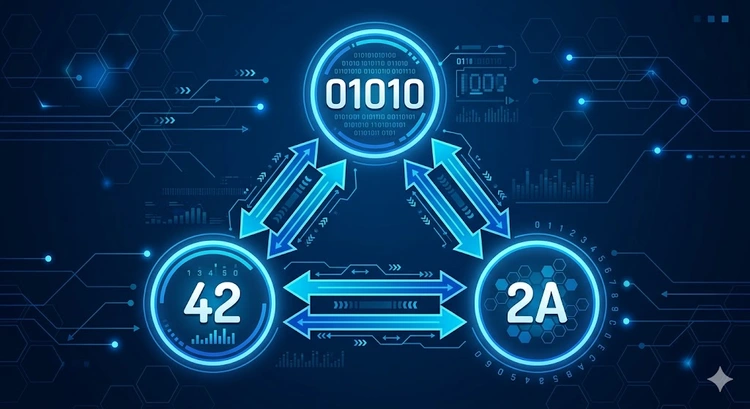
Computers process everything in binary (1s and 0s), but humans prefer decimal (0-9). Hexadecimal provides a compact way to represent binary data, with each hex digit mapping to exactly 4 binary bits. Networking relies heavily on all four systems: IP addresses use decimal, subnet masks use binary logic, MAC addresses use hexadecimal, and Unix file permissions use octal.
| Base | Name | Digits Used | Networking Use |
|---|---|---|---|
| 2 | Binary | 0, 1 | Subnet mask operations, bitwise AND/OR |
| 8 | Octal | 0-7 | Unix file permissions (chmod 755) |
| 10 | Decimal | 0-9 | IP addresses (192.168.1.1), port numbers |
| 16 | Hexadecimal | 0-9, A-F | MAC addresses, IPv6, color codes |
Each position in a binary number represents a power of 2, starting from the rightmost bit (2^0 = 1). To convert binary to decimal, multiply each bit by its positional value and sum the results.
For example, converting 11000000 (the first octet of 192.168.x.x):
Position:  7    6    5    4    3    2    1    0
Power:     128  64   32   16   8    4    2    1
Bit:       1    1    0    0    0    0    0    0
Value: 128 + 64 + 0 + 0 + 0 + 0 + 0 + 0 = 192MAC addresses are written as six pairs of hexadecimal digits separated by colons or hyphens, such as AA:BB:CC:DD:EE:FF. Each hex pair represents one byte (8 bits), and the full MAC address is 48 bits long. The first three bytes identify the manufacturer (OUI), and the last three are the device-specific identifier.
Use our MAC Address Lookup tool to identify the manufacturer from a MAC address, or the IP to Binary converter to see how IP octets map to binary.
| Decimal | Binary | Hex | Octal | Networking Context |
|---|---|---|---|---|
| 0 | 00000000 | 00 | 000 | Network address (host portion) |
| 10 | 00001010 | 0A | 012 | First octet of 10.x.x.x private range |
| 128 | 10000000 | 80 | 200 | Subnet mask boundary (/25) |
| 192 | 11000000 | C0 | 300 | First octet of 192.168.x.x |
| 255 | 11111111 | FF | 377 | Broadcast / full subnet mask octet |
| 65535 | 1111111111111111 | FFFF | 177777 | Maximum port number, max 16-bit value |
IPv6 addresses are written entirely in hexadecimal: eight groups of four hex digits separated by colons, like 2001:0db8:85a3:0000:0000:8a2e:0370:7334. Each group represents 16 bits, and the full address is 128 bits. Leading zeros in each group can be omitted, and consecutive all-zero groups can be replaced with :: once per address.
Understanding hex-to-binary conversion is critical for IPv6 subnetting. Each hex digit maps to exactly 4 bits, so a /48 prefix covers the first three groups (12 hex digits = 48 bits). See our IPv6 Converter for more IPv6 tools.
Subnetting relies on the bitwise AND operation between an IP address and a subnet mask. When you AND two binary numbers, the result has a 1 only where both inputs have a 1:
IP Address:    11000000.10101000.00000001.01100100  (192.168.1.100)
Subnet Mask:   11111111.11111111.11111111.00000000  (255.255.255.0)
AND Result:    11000000.10101000.00000001.00000000  (192.168.1.0 = Network)
Use our Subnet Calculator to perform these operations automatically, or the Network Prefix Calculator for direct AND operations.
# Decimal to hex
printf '%X\n' 255
# Output: FF

# Hex to decimal
echo $((16#FF))
# Output: 255

# Decimal to binary
echo "obase=2;192" | bc
# Output: 11000000

# Binary to decimal
echo "ibase=2;11000000" | bc
# Output: 192# Decimal to hex
'{0:X}' -f 255
# Output: FF
# Hex to decimal
[Convert]::ToInt32('FF', 16)
# Output: 255
# Decimal to binary
[Convert]::ToString(192, 2)
# Output: 11000000Key Takeaways
Computers use binary because digital circuits have two stable states: on (1) and off (0), represented by high and low voltage levels. This two-state system is the most reliable way to store and process information electronically. All data — text, images, network packets — is ultimately stored as sequences of 1s and 0s.
Hexadecimal is used because it provides a compact, human-readable representation of binary data. One hex digit represents exactly 4 bits, so a byte (8 bits) needs only 2 hex digits instead of 8 binary digits. This makes MAC addresses (AA:BB:CC:DD:EE:FF) and IPv6 addresses much easier to read and type than their binary equivalents.
Memorize the powers of 2 for each bit position: 128, 64, 32, 16, 8, 4, 2, 1. For each 1-bit, add the corresponding value. For example, 11001010 = 128 + 64 + 8 + 2 = 202. With practice, you can do common networking values (192 = 128+64, 224 = 128+64+32) instantly.
A byte (8 bits) can represent values from 0 to 255 in decimal, 00 to FF in hexadecimal, or 00000000 to 11111111 in binary. This is why each octet in an IPv4 address ranges from 0 to 255. For unsigned values, the formula is 2^n - 1, where n is the number of bits.
A MAC address is 48 bits (6 bytes) written as six hex pairs: AA:BB:CC:DD:EE:FF. The first three bytes (AA:BB:CC) form the Organizationally Unique Identifier (OUI) assigned to the manufacturer by IEEE. The last three bytes are the device-specific serial number assigned by the manufacturer.
Octal (base-8) is primarily used for Unix/Linux file permissions. Each permission set (read=4, write=2, execute=1) maps to one octal digit. So chmod 755 means owner has full access (7=rwx), group has read+execute (5=r-x), and others have read+execute (5=r-x). Octal was also historically used in older computing systems.
 |
 |
 |
 |

About Tommy N.
Tommy is the founder of RouterHax and a network engineer with 10+ years of experience in home and enterprise networking. He specializes in router configuration, WiFi optimization, and network security. When not writing guides, he's testing the latest mesh WiFi systems and helping readers troubleshoot their home networks.
Search
Popular Tools
Browse Guides
Promotion for FREE Gifts. Moreover, Free Items here. Disable Ad Blocker to get them all.
Once done, hit any button as below
|
|
|
|