by Tommy N. Updated Apr 23, 2026
VPN split tunneling is one of the most powerful — and most misunderstood — features available to home network users and remote workers alike. Our Split Tunneling Planner lets you assign apps to VPN or direct routing and see the plan laid out. Instead of forcing every byte of your internet traffic through an encrypted VPN tunnel, split tunneling lets you choose exactly which apps or destinations travel through the VPN and which ones use your regular connection. Understanding when and how to use VPN split tunneling can dramatically improve your speeds, protect your privacy where it counts, and solve everyday frustrations like slow streaming or inaccessible local devices.

In this guide you will learn exactly what split tunneling is, how it differs from a full-tunnel VPN, the different types available, and step-by-step instructions to configure it on your device or router. Whether you are trying to keep your banking traffic private while streaming local content at full speed, or you need to access your home network while connected to a work VPN, the concepts here apply directly. If you are also interested in how your router handles IP addressing, check out our primer on what an IP address is and our guide to understanding DHCP — both are closely related to how split tunneling routes traffic.

A traditional VPN creates a single encrypted tunnel between your device and a VPN server. Every packet you send — whether it is headed to your bank, a Netflix server, or your smart home hub — travels through that tunnel, gets decrypted at the VPN exit node, and then continues to its destination. This maximises privacy but at a cost: the extra hop adds latency, your VPN server becomes a bottleneck, and traffic that never needed encryption (like a local printer or a streaming service already geo-accessible to you) still pays the performance penalty.
Split tunneling breaks that all-or-nothing model. When enabled, your VPN client maintains two simultaneous paths: the encrypted tunnel and your normal internet connection. A routing policy — defined either by app, by IP address range, or by domain — decides in real time which path each packet takes. Traffic destined for your corporate intranet goes through the VPN; traffic headed to YouTube takes the direct route. The decision happens at the network layer before the packet ever leaves your device, so there is no perceptible delay from the routing decision itself.
Under the hood, the VPN client installs custom routing table entries when split tunneling is active. In a standard full-tunnel configuration the VPN pushes a default route (0.0.0.0/0) that captures all traffic. With split tunneling, only specific CIDR blocks or resolved IP addresses are pushed into that VPN route, and everything else continues to use your default gateway — typically your router's LAN IP. This is the same routing table your operating system consults for every connection, so the process is fast and deterministic.
It is worth distinguishing between three common flavours of split tunneling you will encounter in VPN clients. Inclusive split tunneling (also called standard or route-based) routes only specified traffic through the VPN and everything else goes direct — this is the most common default. Exclusive split tunneling (sometimes called inverse or reverse split tunneling) routes everything through the VPN except a defined exclusion list, which is useful when you want broad protection but need to carve out specific local services. App-based split tunneling makes routing decisions per-process rather than per-destination, so you can say "route all Firefox traffic through the VPN but leave Chrome on the direct connection" regardless of where either browser is connecting.
The exact steps vary by VPN client and platform, but the following process covers the most common scenario — configuring split tunneling in a consumer VPN application on Windows or macOS.
route print; on macOS use netstat -rn in Terminal. Confirm that VPN-bound destinations show your VPN tunnel adapter and excluded destinations show your physical adapter.Not all split tunneling implementations are equal. The table below compares the four main approaches across the dimensions that matter most for home users and remote workers.
| Method | Granularity | Performance Impact | Typical Use Case |
|---|---|---|---|
| App-based (inclusive) | Per process | Minimal — only listed apps tunnel | Routing a browser or torrent client through VPN while streaming direct |
| App-based (exclusive) | Per process | Low — most traffic tunnels | Corporate VPN with local printer/NAS exclusions |
| IP/subnet routing | Per destination CIDR | Very low — purely routing-table based | Accessing a remote office subnet while keeping other traffic direct |
| Domain-based | Per domain (DNS-resolved) | Slightly higher — requires DNS interception | Routing a specific SaaS tool through VPN without affecting all HTTPS |
| Router-level policy routing | Per device or VLAN | Depends on router hardware | Sending one VLAN of smart-home devices through VPN, leaving gaming consoles direct |
If you run a VPN client on your router rather than on individual devices, you can assign entire device groups — by MAC address or VLAN — to either the VPN or the direct connection. This means every app on a covered device is automatically tunnelled without installing a VPN client on phones, smart TVs, or IoT gadgets that don't support one. Check your router's documentation for "policy-based routing" or "selective routing" options, and see our guide to setting up a guest network for a practical VLAN segmentation approach you can adapt.
Split tunneling is elegant in theory but can produce confusing results when misconfigured. The most common symptom is traffic that was supposed to go through the VPN appearing on your direct connection (or vice versa), which you can diagnose with the IP-check method described in Step 5 above. DNS leaks are a related hazard: even if your data travels through the VPN, a misconfigured DNS resolver can reveal your browsing habits to your ISP. Always pair split tunneling with a secure DNS configuration on your router and verify there are no leaks using our DNS lookup tool.
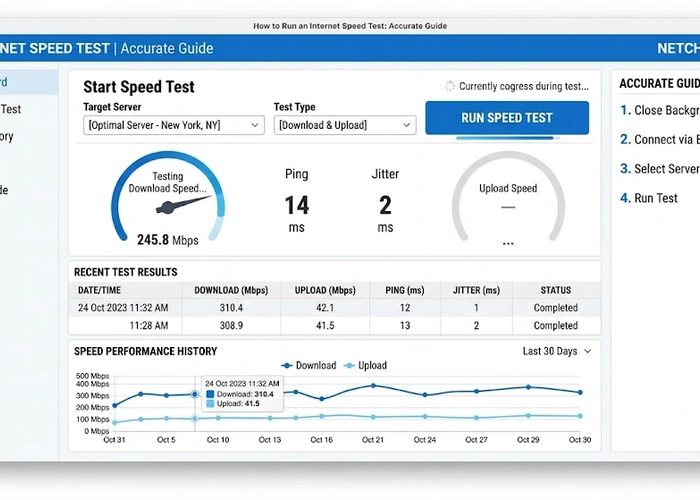
Performance issues are the second most common complaint. If excluded traffic feels slower than expected, your router may be a bottleneck rather than the VPN tunnel — run a speed test with the VPN fully disabled to establish a baseline. If speeds recover without the VPN but are still sluggish on excluded traffic, investigate whether your router's NAT table is being exhausted by VPN connection state entries. Routers with limited memory can struggle when maintaining both a VPN tunnel and large numbers of direct connections simultaneously.
Security-conscious users should audit their split tunneling rules periodically. Apps get updated, IP ranges for corporate resources change, and what seemed like a sensible exclusion six months ago may now route sensitive traffic in the clear. Keep your policy minimal: only exclude what genuinely needs to be excluded, and err on the side of routing ambiguous traffic through the tunnel.
Pro Tip: Use our VPN Protocol Comparison tool to evaluate which VPN protocol (WireGuard, OpenVPN, IKEv2) best supports split tunneling on your platform. WireGuard in particular handles policy-based routing with very low overhead compared to older protocols, making it an excellent choice for router-level split tunneling on modest hardware.
Split tunneling does mean that some of your traffic is visible to your ISP and any on-path observers, so it inherently provides less blanket privacy than a full-tunnel VPN. However, privacy is not all-or-nothing: if you carefully route sensitive traffic (banking, email, research) through the tunnel and only exclude low-risk activities like local streaming or gaming, the practical privacy impact is minimal. The key is being deliberate about which traffic you expose rather than accidentally routing sensitive data in the clear. You can verify which addresses are resolving outside the tunnel using our DNS lookup tool.
Yes, and router-level split tunneling is often the most convenient approach for households with many devices. Routers running DD-WRT, OpenWrt, or Tomato firmware — as well as many consumer routers with built-in VPN clients — support policy-based routing that assigns specific devices, MAC addresses, or VLANs to either the VPN interface or the direct WAN interface. This eliminates the need to configure a VPN client on every phone, tablet, and smart TV separately. The trade-off is that router-based VPN clients generally support fewer split tunneling modes than dedicated desktop clients.
Done correctly, split tunneling typically improves speeds for excluded traffic because that traffic no longer takes the detour through a VPN server. Tunnelled traffic will have the same performance characteristics as a full-tunnel VPN. The routing decision itself is essentially instantaneous — it happens in the kernel's routing table lookup — so there is no meaningful overhead from maintaining two simultaneous paths. The main performance risk is on low-memory routers that struggle to track both VPN and direct connection state simultaneously.
A kill switch and split tunneling solve opposite problems. A kill switch is a safety net that blocks all internet traffic if the VPN tunnel unexpectedly drops, preventing accidental exposure of your real IP. Split tunneling is a deliberate policy that intentionally sends some traffic outside the tunnel while the VPN is fully active and healthy. You can — and generally should — use both features simultaneously: configure split tunneling to define your routing policy, and enable the kill switch so that if the VPN connection fails, excluded traffic is not suddenly joined by your previously tunnelled traffic on the direct path.
Most major consumer VPN providers now support at least app-based split tunneling on Windows and Android, but support on macOS, iOS, and Linux varies considerably. iOS in particular imposes restrictions on third-party VPN apps that make true per-app split tunneling difficult — most iOS VPN clients can only offer full-tunnel or full-exclusion modes. Before choosing a VPN provider, verify that split tunneling is available on all the platforms you use and that it supports the mode (app-based vs. IP-based) your use case requires.
This is a legitimate concern sometimes called a "split-horizon" attack. When your device has active routes to both the VPN network and the internet simultaneously, a compromised resource on either network could theoretically use your device as a bridge to reach the other. In practice this requires an attacker who already has code execution on your device or on a resource you are actively connected to, so the risk is relatively low for typical home users. Corporate environments take this more seriously — which is why many IT departments disable split tunneling on managed devices — and if you handle sensitive work data, it is worth discussing with your security team before enabling it.
For authoritative networking standards and specifications, refer to the Internet Assigned Numbers Authority (IANA) or IETF RFC documents.
 |
 |
 |
 |

About Tommy N.
Tommy is the founder of RouterHax and a network engineer with over ten years of experience in home and enterprise networking. He has configured and troubleshot networks ranging from simple home setups to multi-site enterprise deployments, with deep hands-on experience in router configuration, WiFi optimization, and network security. At RouterHax, he oversees editorial direction and covers home networking guides, mesh WiFi system reviews, and practical troubleshooting resources for everyday users.
Search
Popular Tools
Browse Guides
Promotion for FREE Gifts. Moreover, Free Items here. Disable Ad Blocker to get them all.
Once done, hit any button as below
|
|
|
|