
Calculate how long your UPS (Uninterruptible Power Supply) will keep your network equipment running during a power outage. Input your UPS rating, connected load, and efficiency to estimate runtime in minutes — all calculated locally in your browser.
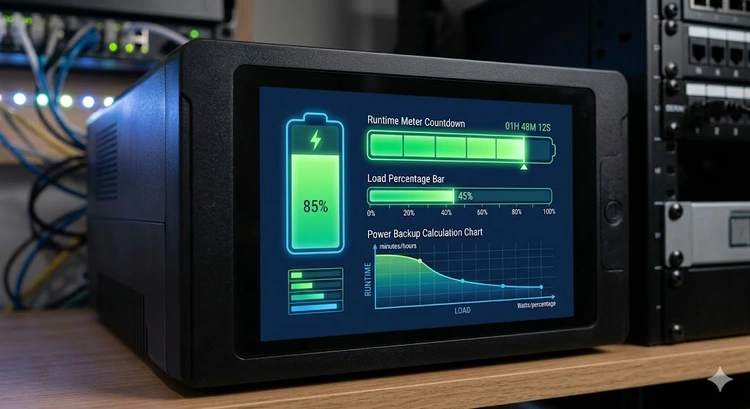
An Uninterruptible Power Supply (UPS) provides battery backup power when the main electricity fails. For network equipment — routers, modems, switches, and NAS devices — a UPS prevents data loss, maintains internet connectivity, and allows for graceful shutdowns during extended outages.
Choosing the right UPS size depends on your total equipment wattage and how long you need the backup to last. This calculator uses your specific device list to estimate runtime, accounting for inverter efficiency and the Peukert effect on battery discharge.
There are three main UPS topologies, each suited to different use cases and budgets:
| Type | How It Works | Transfer Time | Efficiency | Best For | Price Range |
|---|---|---|---|---|---|
| Standby (Offline) | Switches to battery on outage | 5-12 ms | 95-98% | Home PCs, basic equipment | $30-80 |
| Line-Interactive | AVR regulates voltage, battery for outages | 2-4 ms | 90-95% | Network equipment, servers | $80-300 |
| Online (Double-Conversion) | Always runs from inverter | 0 ms | 85-92% | Critical servers, medical | $200-2000+ |
For most home networking setups — protecting your router, modem, and a small switch — a line-interactive UPS provides the best balance of protection and value.
UPS units are rated in VA (Volt-Amps), but your devices consume Watts. The relationship between them is determined by the power factor (PF):
Watts = VA × Power Factor

Example: 1500 VA × 0.7 PF = 1050 Watts capacity
Most consumer UPS units have a power factor of 0.6-0.7, meaning a 1500VA UPS can only deliver 900-1050W of real power. Higher-end models approach a 0.9 or 1.0 power factor. Always check the watt rating, not just the VA rating, when sizing your UPS.
| UPS Size (VA) | Watts (0.7 PF) | Typical Runtime at 50% Load | Best For |
|---|---|---|---|
| 350 VA | 245W | 5-8 min | Modem + router only |
| 500 VA | 350W | 8-12 min | Modem + router + switch |
| 750 VA | 525W | 10-15 min | Small network closet |
| 1000 VA | 700W | 12-20 min | Network + NAS |
| 1500 VA | 1050W | 15-30 min | Home office full setup |
| 2200 VA | 1540W | 20-40 min | Small server + network |
| 3000 VA | 2100W | 25-50 min | Server rack, multiple devices |
Pro Tip: For just keeping your internet alive during outages, a small 350-500VA UPS connected to only your modem and router can provide 30-60 minutes of connectivity at around 25W total draw. This is the most cost-effective UPS investment for any home — it keeps WiFi, security cameras, and smart home devices operational during short outages.
Knowing your equipment's actual power draw is essential for accurate runtime calculations. Here are typical values:
| Equipment | Typical Watts | Range | Notes |
|---|---|---|---|
| Cable/DSL Modem | 8-12W | 5-15W | Fiber ONTs may draw more |
| Home Router | 10-20W | 6-30W | WiFi 6E routers draw more |
| 8-Port Gigabit Switch | 5-10W | 3-15W | Unmanaged, non-PoE |
| WiFi Access Point | 8-15W | 5-25W | Higher with many clients |
| NAS (2-bay, spinning) | 30-50W | 15-60W | SSD NAS uses much less |
| PoE Switch (8-port) | 40-80W | 20-150W | Depends on connected PoE devices |
| Security Camera (PoE) | 8-15W | 5-30W | PTZ models draw more |
A typical modem (10W) and router (15W) draw about 25W combined. A 500VA UPS at this light load can run for 45-90 minutes, depending on the model. A 750VA unit may last 60-120 minutes. Use the calculator above with your specific devices for a more accurate estimate.
A home server typically draws 100-400W depending on configuration. Add your network equipment (router, switch, modem) for the total load. A 1500VA UPS provides 15-30 minutes at 300-500W total load — enough for a graceful shutdown. For longer runtime, consider a 2200VA or 3000VA model.
Yes, and it's highly recommended. A PoE switch on a UPS means all your PoE-powered devices (cameras, access points) also stay powered during outages. Calculate the PoE switch's total power draw (including connected devices) with our PoE Power Budget Calculator and add that to your UPS load.
VA (Volt-Amps) is apparent power and Watts is real power. The ratio is the power factor: Watts = VA × PF. Most UPS units have a PF of 0.6-0.7, so a 1500VA UPS delivers only 900-1050W of real power. Always check the watt rating when comparing UPS models.
Pure sine wave UPS units are better for sensitive equipment like servers with Active PFC power supplies. Simulated (stepped) sine wave is cheaper and fine for basic network equipment like routers and switches. If you're protecting a NAS or server, choose pure sine wave.
Every 3-5 years for standard sealed lead-acid (SLA) batteries. Signs of degradation include shorter runtime, frequent self-test failures, and the UPS reporting "replace battery." Higher ambient temperatures accelerate degradation — keep your UPS in a cool, ventilated area.

About Tommy N.
Tommy is the founder of RouterHax and a network engineer with 10+ years of experience in home and enterprise networking. He specializes in router configuration, WiFi optimization, and network security. When not writing guides, he's testing the latest mesh WiFi systems and helping readers troubleshoot their home networks.
 |
 |
 |
 |
Search
Popular Tools
Browse Guides
Promotion for FREE Gifts. Moreover, Free Items here. Disable Ad Blocker to get them all.
Once done, hit any button as below
|
|
|
|