by Tommy N. Updated Apr 12, 2026
WiFi 7 (802.11be) is the latest wireless standard, and the best WiFi 7 routers deliver speeds that were unthinkable just a few years ago. With multi-link operation (MLO), 320 MHz channels, and 4096-QAM modulation, these routers can push theoretical throughput past 46 Gbps across all bands. Whether you're streaming 8K video, gaming competitively, or running a home office with dozens of connected devices, upgrading to WiFi 7 is the biggest leap in wireless performance since WiFi 6 arrived.

In this guide, we break down the top WiFi 7 routers available right now, compare their features side by side, and help you decide whether it's time to upgrade. If you're still exploring your current network setup, start by finding your router's IP address to see what you're working with today.
WiFi 7 isn't just a speed bump. It introduces fundamental changes to how wireless networks operate. Here's what sets it apart from WiFi 6 and WiFi 6E:
| Feature | WiFi 6 (802.11ax) | WiFi 6E | WiFi 7 (802.11be) |
|---|---|---|---|
| Max Channel Width | 160 MHz | 160 MHz | 320 MHz |
| QAM | 1024-QAM | 1024-QAM | 4096-QAM |
| Multi-Link Operation | No | No | Yes |
| Max Theoretical Speed | 9.6 Gbps | 9.6 Gbps | 46 Gbps |
| Bands | 2.4 GHz + 5 GHz | 2.4 + 5 + 6 GHz | 2.4 + 5 + 6 GHz |
Multi-Link Operation (MLO) is the headline feature. Instead of connecting to one band at a time, MLO lets a device use multiple bands simultaneously. This means lower latency, higher throughput, and much better reliability. If one band experiences interference, the connection seamlessly continues on another band without dropping.
320 MHz channels double the available channel width on the 6 GHz band, which directly doubles potential throughput. Combined with 4096-QAM, which packs 20% more data into each transmission compared to 1024-QAM, WiFi 7 routers deliver a massive real-world performance improvement.
Before diving into individual reviews, here's how the best WiFi 7 routers stack up against each other. If you're unfamiliar with network basics, our guide on what an IP address is is a great starting point.
| Router | Max Speed | Bands | Ethernet Ports | Mesh Support | Price Range |
|---|---|---|---|---|---|
| ASUS RT-BE96U | 30 Gbps | Quad-band | 2x 10G + 4x 1G | AiMesh | $$$ |
| Netgear Nighthawk RS700 | 19 Gbps | Tri-band | 1x 10G + 4x 1G | Yes | $$$ |
| TP-Link Archer BE900 | 24 Gbps | Quad-band | 2x 10G + 4x 2.5G | OneMesh | $$ |
| Linksys Hydra Pro 7 | 16 Gbps | Tri-band | 1x 5G + 4x 1G | Velop mesh | $$ |
| D-Link BE19000 | 19 Gbps | Tri-band | 2x 10G + 4x 1G | Yes | $$ |
| ASUS ROG Rapture GT-BE98 | 25 Gbps | Quad-band | 2x 10G + 4x 2.5G | AiMesh | $$$$ |
The ASUS RT-BE96U is a quad-band powerhouse that delivers up to 30 Gbps of combined throughput. It features two dedicated 6 GHz bands, dual 10 Gbps Ethernet ports, and ASUS's proven AiMesh system for whole-home coverage. The router includes advanced QoS, AiProtection Pro security, and a built-in smart home hub.
What makes this router stand out is its dual 6 GHz radio configuration. One 6 GHz band handles client devices while the other can serve as a dedicated wireless backhaul for mesh setups. If you're managing a complex home network, you'll want to change the default admin password immediately after setup.
The Nighthawk RS700 was one of the first WiFi 7 routers to market, and it remains a strong contender. This tri-band router delivers up to 19 Gbps and includes a 10 Gbps Ethernet port for high-speed wired connections. Netgear's Armor security suite (powered by Bitdefender) provides robust network protection.
The RS700 supports 320 MHz channels on the 6 GHz band and full MLO capabilities. Its web-based setup is straightforward, and you can access the admin panel through the standard 192.168.1.1 gateway.
TP-Link's flagship WiFi 7 router offers exceptional value. The quad-band Archer BE900 delivers up to 24 Gbps, includes two 10G ports and four 2.5G ports, and features a unique touchscreen display on the front panel for real-time network monitoring. It's compatible with TP-Link's OneMesh ecosystem for expandable coverage.
The Hydra Pro 7 is a more affordable entry into WiFi 7. While it doesn't match the raw speed of quad-band competitors, its tri-band design with 16 Gbps combined throughput is more than enough for most households. It integrates with the Linksys Velop mesh system and supports Apple HomeKit.
D-Link's WiFi 7 offering provides solid tri-band performance at a competitive price. With dual 10G ports and support for 320 MHz channels, it handles heavy network loads well. The D-Link Eagle Pro AI system uses machine learning to optimize network performance automatically.
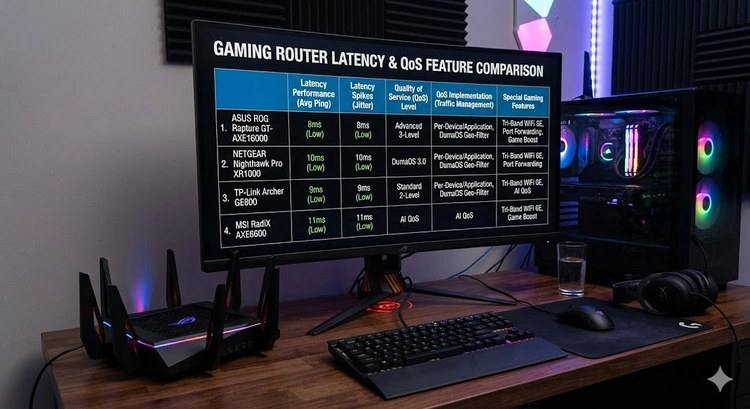
For gamers who want the absolute best, the ROG Rapture GT-BE98 combines WiFi 7 speeds with gaming-specific features like triple-level game acceleration, a dedicated gaming port, and mobile game optimization. Learn more about optimizing your gaming setup in our port forwarding guide.
WiFi 7 is impressive, but it's not necessary for everyone. Here's a quick assessment:
Remember: your devices must also support WiFi 7 to benefit from the new features. A WiFi 7 router will still work with older devices, but they'll connect at their maximum supported standard. Check your current speed to see if your existing setup is underperforming.
Before buying a WiFi 7 router, run through this checklist to make sure you're ready for the upgrade:
| Checklist Item | Why It Matters |
|---|---|
| Internet speed 1 Gbps+ | WiFi 7 won't help if your ISP plan is slow |
| WiFi 7 client devices | Older devices connect at WiFi 5/6 speeds |
| Ethernet cabling (Cat 6a+) | 10G ports need proper cabling |
| Modem compatibility | Ensure your modem supports your full speed tier |
| Coverage needs assessment | Large homes may need mesh; single router for smaller spaces |
Pro Tip: Before upgrading your router, run a speed test over Ethernet directly from your modem. This gives you a true baseline of your ISP speed. If the Ethernet speed is significantly below your plan, the problem is with your ISP — not your router. You can also learn about DNS to optimize your browsing speed independently of your hardware.
Not all WiFi 7 routers are created equal. Here are the key specifications to evaluate:
Number of Bands: Quad-band routers (two 6 GHz radios) offer more capacity than tri-band models. The extra radio can serve as dedicated backhaul for mesh setups or handle additional high-bandwidth clients.
Ethernet Ports: Look for at least one 10 Gbps or 2.5 Gbps port if you have a multi-gig internet plan. Standard gigabit ports create a bottleneck with faster ISP connections. Understanding your network gateway setup helps ensure proper wired configuration.
MLO Support: Verify that the router's MLO implementation is fully functional. Some early WiFi 7 routers shipped with MLO disabled via firmware and enabled it through later updates.
Mesh Compatibility: If you need whole-home coverage, make sure the router can work as a mesh node or integrate with a mesh system from the same manufacturer. Setting up a guest network is also easier with mesh-capable systems.
Security Features: WPA3 is standard on WiFi 7, but look for extras like automatic firmware updates, built-in malware protection, and IoT device isolation. Don't forget to keep your firmware updated regardless of which router you choose.
Yes, WiFi 7 routers are fully backward compatible with WiFi 6, WiFi 5, and older devices. Your existing devices will continue to work — they simply won't benefit from WiFi 7-specific features like MLO or 320 MHz channels. They'll connect at their maximum supported standard.
WiFi 7 offers up to 4.8x the theoretical maximum speed of WiFi 6 (46 Gbps vs 9.6 Gbps). In real-world usage, expect roughly 2-3x faster speeds on WiFi 7-capable devices, along with significantly lower latency thanks to MLO.
No, but you'll need WiFi 7 client devices to take advantage of the new features. Using a WiFi 7 router with WiFi 6 devices is like driving a sports car in a school zone — the capability is there, but you're not using it.
MLO allows a device to send and receive data across multiple frequency bands simultaneously. This reduces latency, increases throughput, and provides seamless failover if one band experiences interference. It's the single biggest improvement in WiFi 7.
For power users with multi-gig internet, multiple 4K/8K streams, and WiFi 7 devices, absolutely. For average households with standard internet plans, WiFi 6 or 6E routers still offer excellent performance at a fraction of the cost.
Yes, WiFi 7 routers work with any standard modem. However, to take full advantage of multi-gig capabilities, you'll want a modem that supports DOCSIS 3.1 (for cable) or a multi-gig fiber ONT. Check your modem settings at 10.0.0.1 to verify your current setup.
For large homes (3,000+ sq ft), the ASUS RT-BE96U with AiMesh nodes or the TP-Link Archer BE900 with OneMesh extenders provide the best coverage. Alternatively, consider a dedicated WiFi 7 mesh system like the Netgear Orbi 970 series.
For the official WiFi 7 certification details and the full list of certified devices, visit the Wi-Fi Alliance's WiFi 7 page.
 |
 |
 |
 |

About Tommy N.
Tommy is the founder of RouterHax and a network engineer with 10+ years of experience in home and enterprise networking. He specializes in router configuration, WiFi optimization, and network security. When not writing guides, he's testing the latest mesh WiFi systems and helping readers troubleshoot their home networks.
Promotion for FREE Gifts. Moreover, Free Items here. Disable Ad Blocker to get them all.
Once done, hit any button as below
|
|
|
|