
Calculate your DHCP address pool size, maximum concurrent clients, and lease renewal timing. Enter your subnet, reserved addresses, and lease duration to optimize your DHCP configuration and avoid address exhaustion.
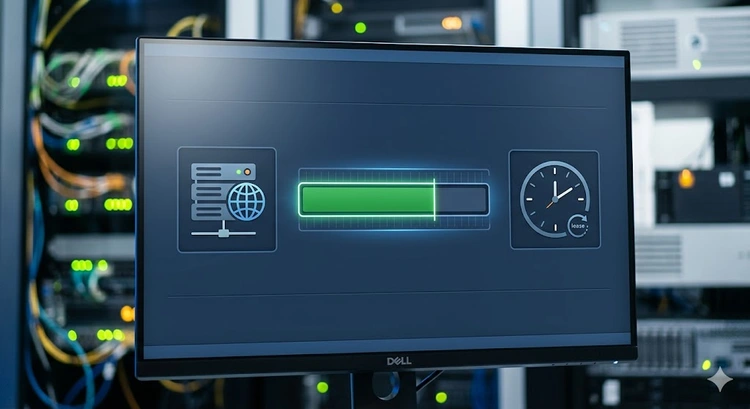
Dynamic Host Configuration Protocol (DHCP) automatically assigns IP addresses, subnet masks, gateways, and DNS servers to devices on your network. Without DHCP, you'd need to manually configure every device — impractical for networks with more than a handful of clients.
For a complete explanation of DHCP, read our What Is DHCP? guide. Your router at 192.168.1.1 is typically the DHCP server for your home network. Use our Subnet Calculator to plan your address space.
Understanding the DHCP lease process helps you choose the right lease time and troubleshoot address issues:
| Phase | Time | Action | Packets |
|---|---|---|---|
| Discovery | 0% | Client broadcasts request for IP | DHCPDISCOVER |
| Offer | 0% | Server offers available IP | DHCPOFFER |
| Request | 0% | Client accepts the offered IP | DHCPREQUEST |
| Acknowledge | 0% | Server confirms the lease | DHCPACK |
| T1 Renewal | 50% | Client requests lease extension (unicast) | DHCPREQUEST |
| T2 Rebinding | 87.5% | Client broadcasts renewal (any server) | DHCPREQUEST |
| Expiry | 100% | Lease expires, IP released | — |
| Environment | Lease Time | Rationale |
|---|---|---|
| Public WiFi (café/airport) | 30 min – 1 hour | High device turnover, reclaim IPs quickly |
| Hotel/Conference | 1 – 4 hours | Guests leave frequently |
| Office (business hours) | 8 – 12 hours | Devices present during work hours only |
| Home Network | 24 hours | Devices mostly permanent, moderate turnover |
| Server/Infrastructure | 7 – 30 days | Static devices, use DHCP reservations instead |
| IoT Devices | 12 – 24 hours | Always-on but may need readdressing |
Pro Tip: For devices that need consistent IPs (servers, printers, NAS, gaming consoles), use DHCP reservations instead of static IPs. Reservations assign the same IP via DHCP based on MAC address, keeping central management while ensuring consistency. This is especially important for port forwarding rules that depend on a fixed internal IP. Configure reservations at 192.168.1.1.
# Linux (dhcpd.conf)
subnet 192.168.1.0 netmask 255.255.255.0 {
  range 192.168.1.100 192.168.1.250;
  option routers 192.168.1.1;
  option domain-name-servers 1.1.1.1, 8.8.8.8;
  default-lease-time 86400;
  max-lease-time 172800;
}

# Cisco IOS
ip dhcp pool LAN
 network 192.168.1.0 255.255.255.0
 default-router 192.168.1.1
 dns-server 1.1.1.1 8.8.8.8
 lease 1

# Windows DHCP Server (PowerShell)
Add-DhcpServerV4Scope -Name "LAN" -StartRange 192.168.1.100 `
  -EndRange 192.168.1.250 -SubnetMask 255.255.255.0
Set-DhcpServerV4OptionValue -Router 192.168.1.1 `
-DnsServer 1.1.1.1,8.8.8.8| Symptom | Likely Cause | Solution |
|---|---|---|
| 169.254.x.x address | DHCP server unreachable or pool exhausted | Check server, expand pool |
| Duplicate IP conflicts | Static IP overlaps DHCP pool | Exclude static IPs from pool |
| Slow initial connection | DHCP server responding slowly | Check server load, reduce scope |
| Frequent disconnects | Lease time too short | Increase lease duration |
| Wrong DNS/gateway | Rogue DHCP server on network | Enable DHCP snooping on switch |
If devices keep losing connectivity, check if your internet is slow or run a Speed Test to verify the connection itself is working.
New devices receive an APIPA address (169.254.x.x) and cannot access the network or internet. Existing devices keep their leases until expiry. To fix, expand your pool range, reduce lease time, or upgrade to a larger subnet like /23 (510 hosts).
24 hours is the standard for home networks. It balances address retention (your devices keep the same IP day-to-day) with reasonable reclamation of unused addresses. For guest networks, use 1-4 hours.
A DHCP reservation maps a device's MAC address to a specific IP. The device still uses DHCP to get its address, but always receives the same one. This is preferred over static IP configuration because it's managed centrally on the router.
A /24 subnet provides 254 usable addresses — sufficient for most home and small office networks. If you have more than 200 devices or need room for growth, a /23 provides 510 addresses. Use our Subnet Calculator to determine the right size.
Generally no — two DHCP servers on the same subnet will conflict, causing unpredictable address assignment. The exception is DHCP failover configurations where servers coordinate. Rogue DHCP servers are a common network problem — enable DHCP snooping on managed switches to prevent this.
Log in to your router at 192.168.1.1 and check the DHCP client list (usually under LAN or Network settings). On Linux DHCP servers, check /var/lib/dhcp/dhcpd.leases. Use What Is My IP to check your own device's address.

About Tommy N.
Tommy is the founder of RouterHax and a network engineer with 10+ years of experience in home and enterprise networking. He specializes in router configuration, WiFi optimization, and network security. When not writing guides, he's testing the latest mesh WiFi systems and helping readers troubleshoot their home networks.
 |
 |
 |
 |
Search
Popular Tools
Browse Guides
Promotion for FREE Gifts. Moreover, Free Items here. Disable Ad Blocker to get them all.
Once done, hit any button as below
|
|
|
|